Bulk Actions in Power Search • Signifyd
The data was smart enough to identify the problem, but the product wasn't built to let merchants do anything about it at scale. Bulk Actions changed that.
What was going on
Signifyd's Power Search console is where fraud analysts and merchant review teams do their most important work. Dense, data-heavy workflows designed for filtering transactions, investigating anomalies, making calls on individual cases. Every decision either protects revenue or exposes the business to risk.
Power Search was one of my core product areas from the start. By the time Bulk Actions landed on the roadmap, I understood the product, the users and the competitive landscape well enough to have a clear point of view.
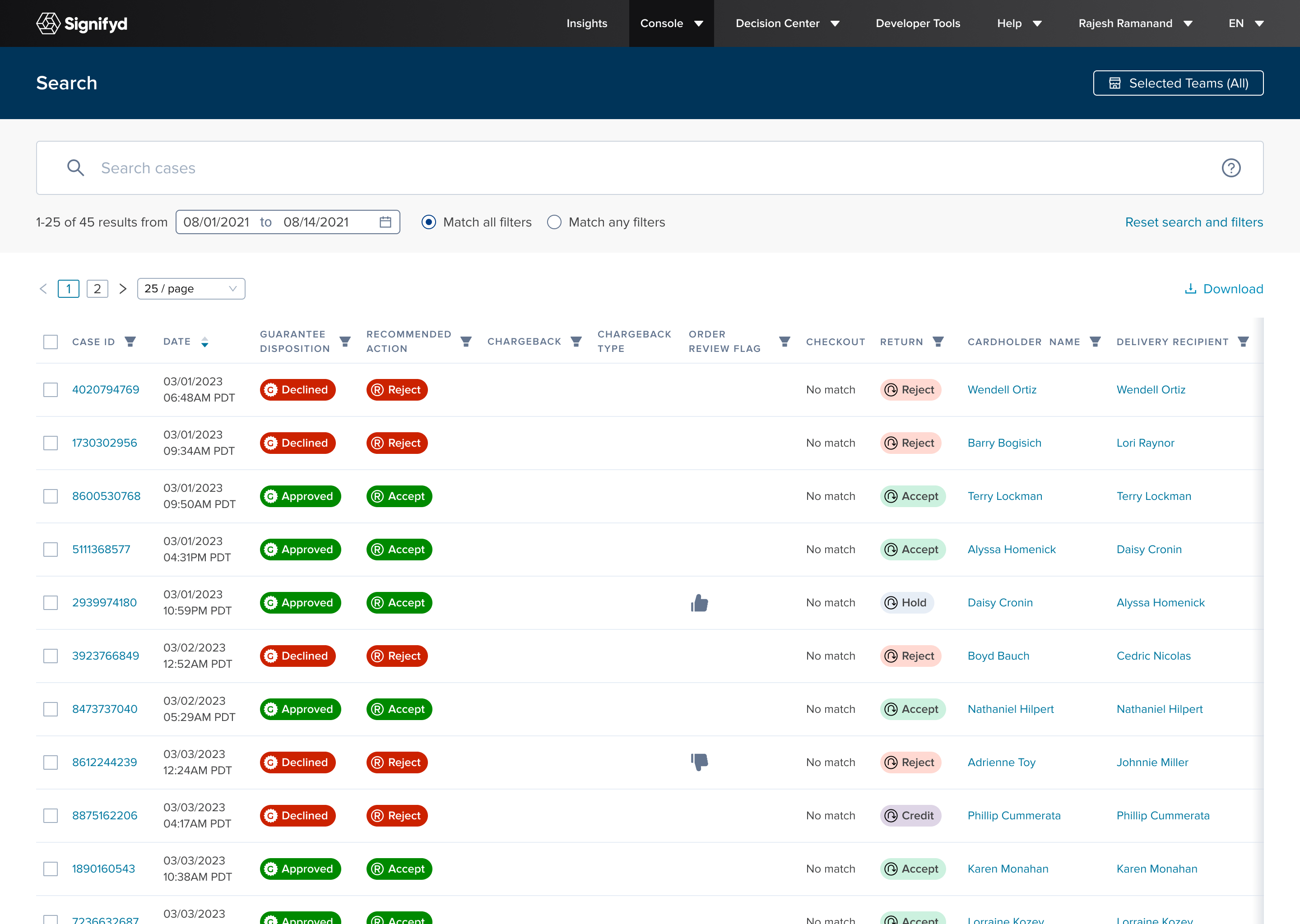
Power Search results table — the starting point before any selection is made
What needed solving
If a merchant needed to apply the same action to multiple cases, the only option was to open each one individually, carry out the action, add notes and move on. One case at a time, every time.
Several key merchants, including Walmart Mexico, Abercrombie & Fitch and Lenovo, still relied on a competitor tool, Accertify, specifically for bulk operations. As long as that gap existed, we were only part of their workflow. Displacing Accertify was a stated strategic goal and the Bulk Actions feature was the most direct path there.
What I was working with
A previous design direction proposed by my manager existed, parked in the backlog. My job was to pick it up and take it forward. However, after reviewing it against how merchants actually used Power Search, I made the case for a different approach. I came with evidence, held my position and the team moved forward with the direction I proposed.
A challenge I faced was that the feature wasn't available to all user types, ruling out any placement prominent enough to leave blank space when absent. Additionally, the confirmation flow needed to handle ineligible cases cleanly as not every case in a selection could be actioned. It was important that merchants understood exactly why this was before committing.
How I worked through it
Discovery & framing I set out to address the solid use cases our research had established: Black Friday review queues, batches of suspicious orders from the same device fingerprint, high-volume workflows that Accertify was still handling.
Exploring directions Bulk selection patterns are well-established across tools merchants already use. The design challenge wasn't inventing a mental model, it was integrating cleanly into a UI that wasn't built with this in mind and getting the confirmation step right.
Testing & refinement I ran an A/B test against the previous design with internal stakeholders and external merchant contacts including Walmart Mexico, HotTopic and Lenovo. My flow was preferred and these sessions became key in shaping the final detail before it shipped.
Delivery & handoff In addition to a live walkthrough with Engineering, I recorded annotated video walkthroughs of the Figma files for the team to reference during their build. This later became standard practice on every project that followed at the request of Engineers.
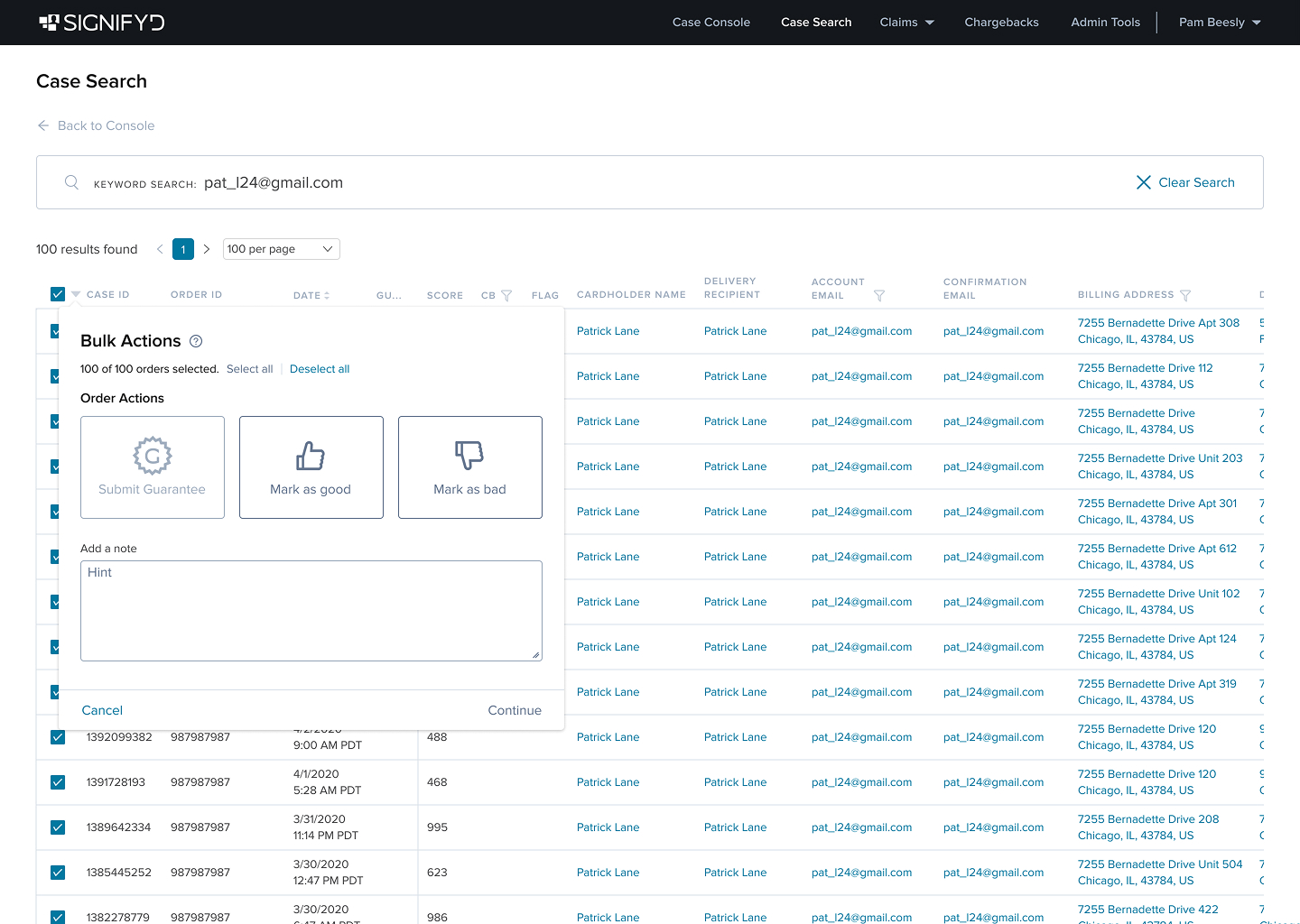
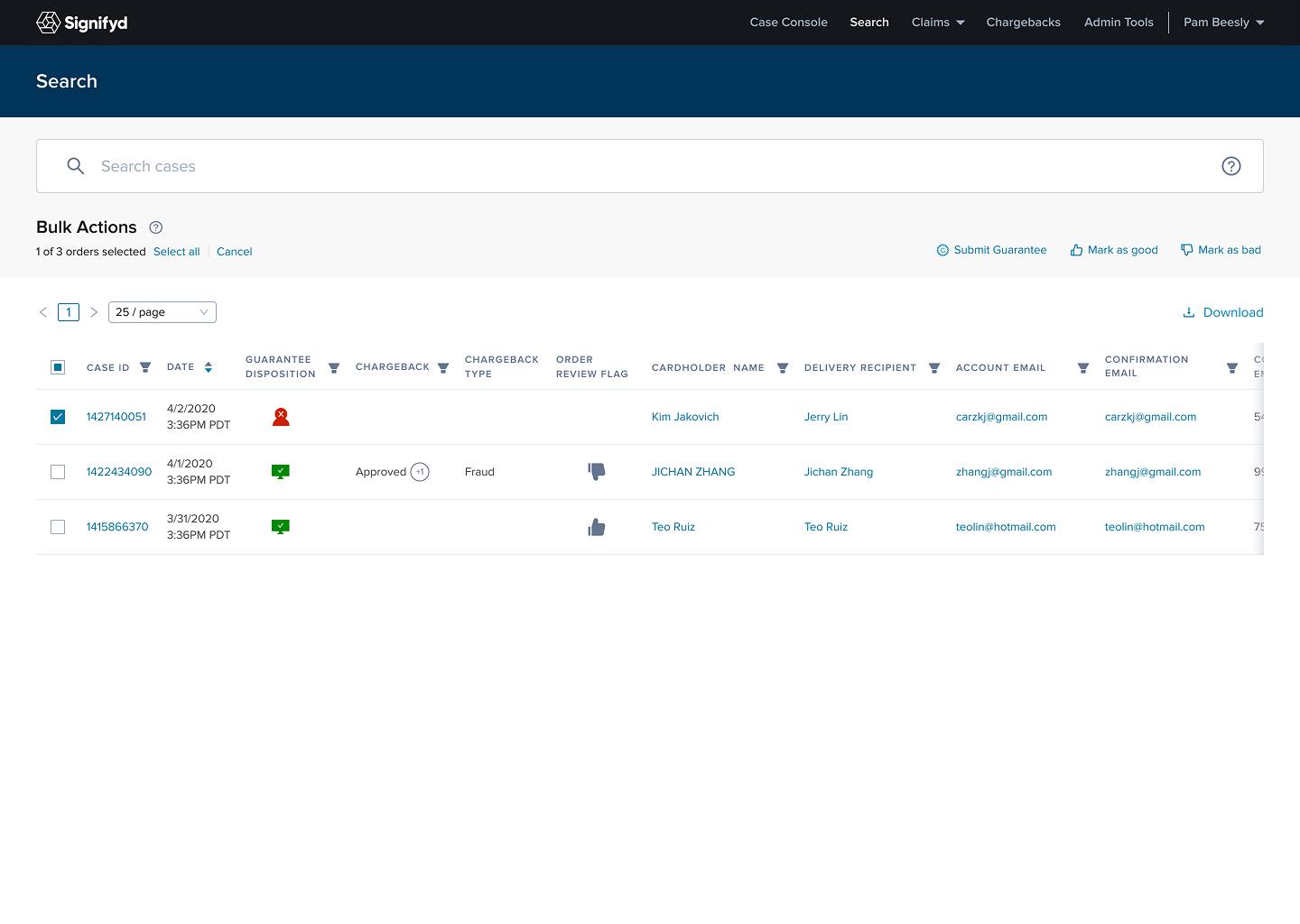
Early direction explorations — working out where bulk actions live in a UI that wasn't designed for them
What shipped and why
Merchants could now select up to 200 cases and apply an action in a single operation. The trigger was unobtrusive by design, integrated without friction into a dense UI, invisible to users without access.
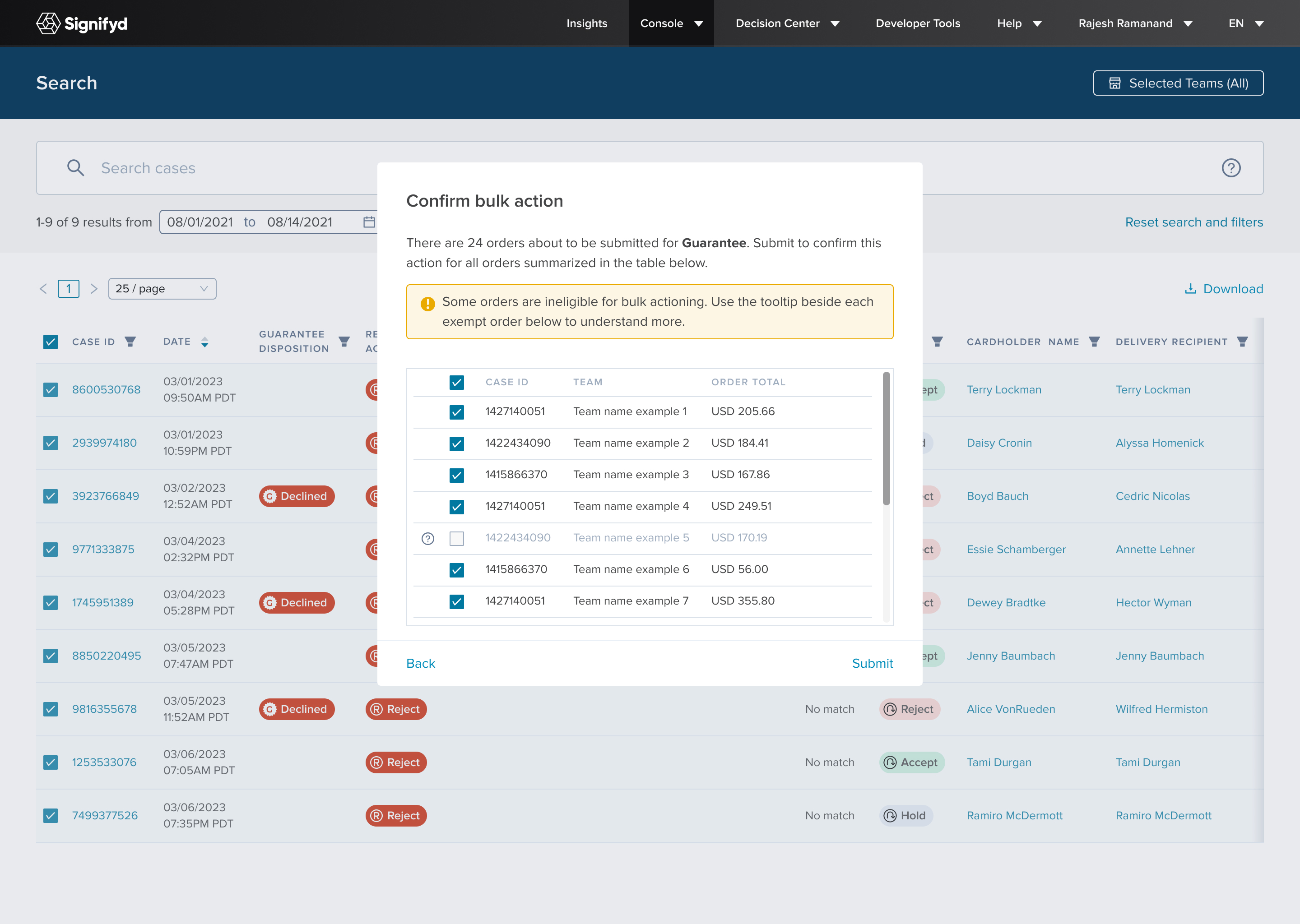
The confirmation modal was the most difficult call. Not every case in a selection is eligible for every action. Silently filtering ineligible cases would have broken trust. Blocking submission until the selection was clean placed unnecessary cognitive load at exactly the wrong moment. I showed ineligible cases in a distinct state within the confirmation step instead, so users could see the full picture and course-correct before committing. In a fraud context, that moment of clarity before submission isn't just a nice-to-have; it's crucial.
An activity log gave visibility after the fact: what was actioned, by whom and when, accessible as a side panel without leaving the search view. The ability to audit is very important in this industry, particularly when making decisions as significant as this.
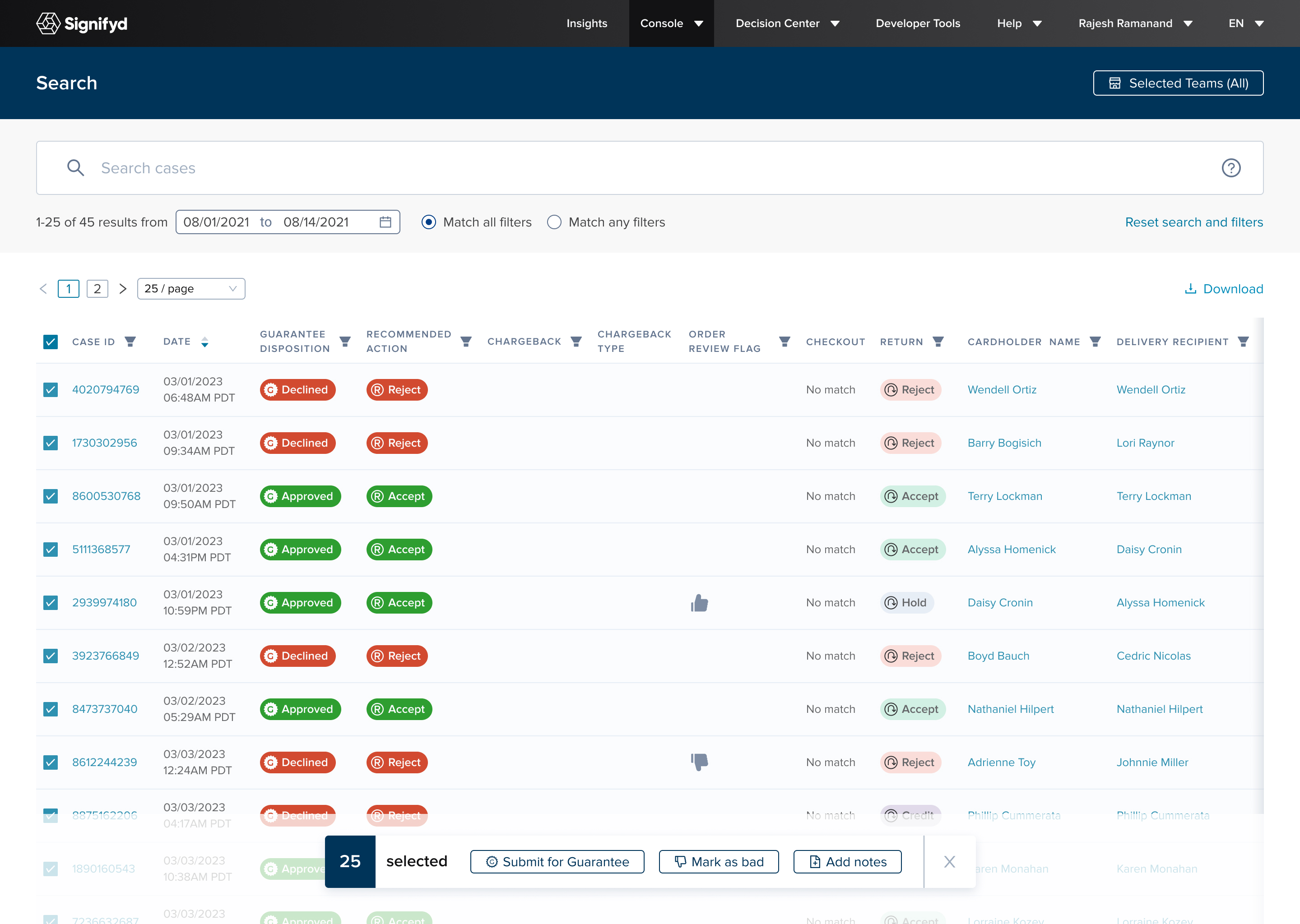
25 cases selected, action bar visible — the trigger had to feel native
to an already dense interface
The confirmation modal surfaces ineligible cases transparently, giving merchants full context before they commit
What it changed
The feature shipped ahead of Black Friday. We'd set an ambitious onboarding target for Power Search and surpassed it. The feedback from each and every merchant we'd demoed to was unanimous. More importantly for our business model, it reduced the dependency key accounts had on Accertify for bulk workflows. Signifyd became harder to replace, that was the goal all along.
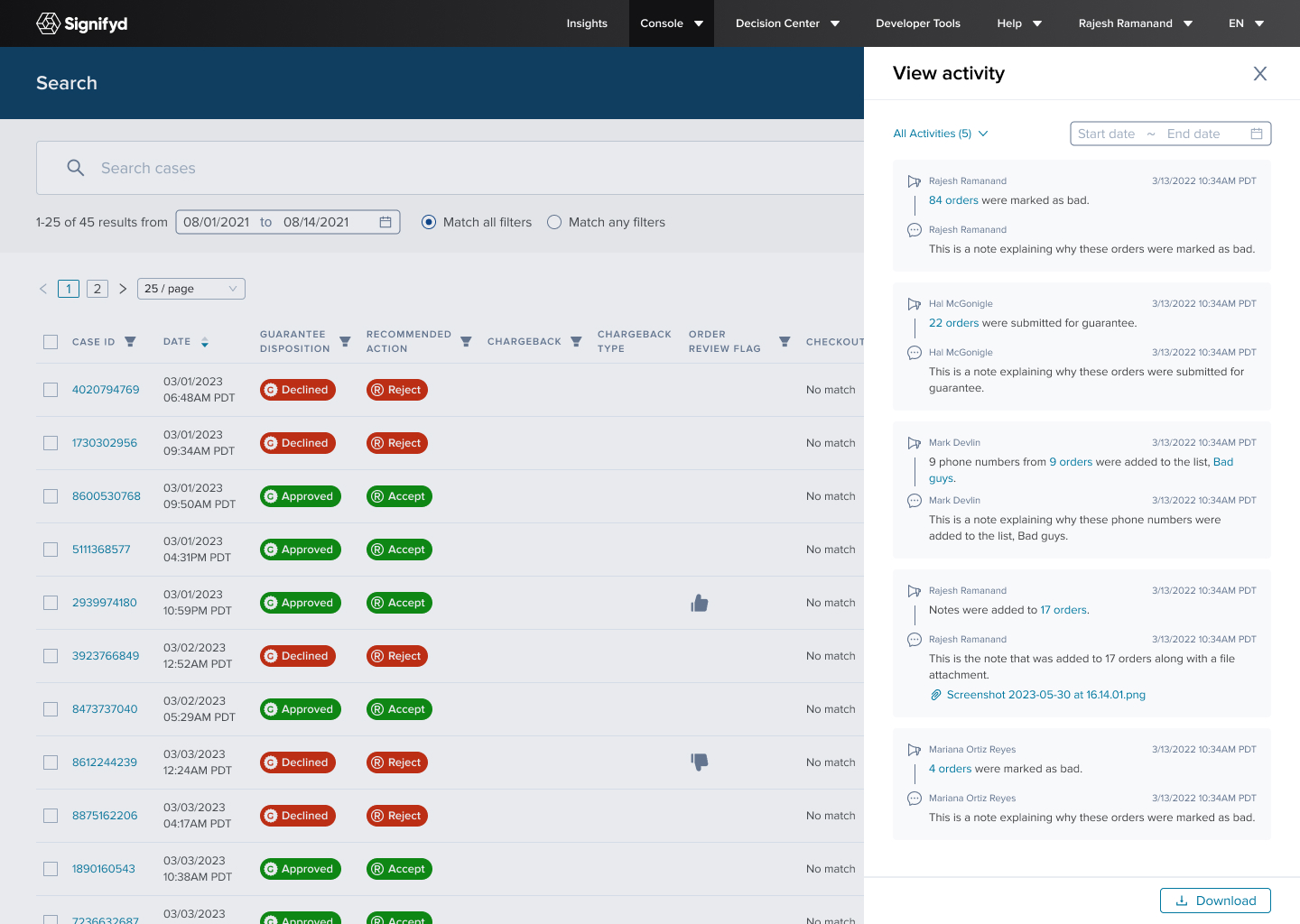
The View Activity panel — a full audit trail of bulk actions taken, accessible without leaving the search view
What I'd do differently
The ineligibility handling in the confirmation modal was the right call, but the communication layer around it moved faster than I'd have liked. The warning copy, tooltip behaviour and visual distinction for ineligible cases all shipped well, but that part of the experience deserved a dedicated round of testing with merchants rather than being validated as part of the broader flow. The edge cases were the most consequential moments in the whole interaction and I'd give them more time if I ran it again.
Next case study
THE M4JORS Sweepstake • Personal